
Finance teams were drowning in manual verification, scattered approvals, and failed bank transfers. I redesigned the entire payout system 0→1 — from how accounts are verified to how money moves.
Problem
Manual, error-prone payout flow with no real-time visibility or verification
What I Did
Manual, error-prone payout flow with no real-time visibility or verification
Outcome
Manual, error-prone payout flow with no real-time visibility or verification
Guesswork, delays, and too many assumptions
Finance teams were approving payments without real-time balances, checking vendor details manually, and chasing approvals over WhatsApp and phone calls. One wrong detail could stall a project for days.
Problem area 01
Opaque Fund Movement
No real-time cash view. Balances were buried in spreadsheets teams made decisions on stale data.
Problem area 02
Risky Disbursements
Vendor details assumed, not verified. Wrong accounts triggered reversals nobody caught until days later.
Problem area 03
Slow Manual Approvals
Every approval was a phone call. OTPs shared informally. Any one step could block the entire flow.
Problem area 04
No Budget Clarity
Leaders couldn't see spend by category or month. Planning was guesswork. Reconciliation was a monthly ordeal.

Priya R.
Finance Executive
“I'm double-checking balances across multiple sheets. What if a vendor detail is wrong, the whole payout gets stuck and we spend days fixing it.”

Aman K.
Project Manager
“I don't know how much of my category budget is consumed. If I'm not available for a call, everything just… stops.”

Sneha M.
Admin
“I get requests on WhatsApp, email, SMS none of it shows the full picture. The system doesn't tell me if a payout fits the budget.”

Ramesh
Vendor / Contractor
“When payouts get delayed, our entire schedule is affected. If account details are wrong, nobody notices until the money fails.”
Hypotheses That Drove Design
0→1 build. Started with field research, shadowing finance teams, mapping workarounds, reviewing support tickets. Four hypotheses shaped every decision.
Reduce Failures
Enforce Vendor Verification
PAN / GST / bank verification before any payout. If details don’t pass, money doesn’t move.
Speed Up Processing
Cluster Multiple Invoices
Batch multiple invoices in one initiation flow, fewer steps, fewer errors, faster turnaround.
Reduce Manual Corrections
Audit Trail At Every Step
Confirmation + auto-logging at each stage removes the need to manually chase records.
Better Ownership
Category + Month Budget Mapping
Department heads see exactly where money went, by category, by month. No surprises.
Old Flow vs. New Flow
Old
Manual lookup in spreadsheets. Stale data. No cross-project view.
New
System auto-fetches real-time project, department & category balances on request creation.
Old
Assumed correct. Shared manually over WhatsApp/email. No checks run.
New
Auto-verified via PAN, GST & bank account before payment is allowed to proceed.
Old
Calls, reminders, scattered docs. Approver had no context. Delays were routine.
New
In-app request with real-time balance, budget impact & vendor status. Seconds, not hours.
Old
OTP shared informally between initiator and approver. Security risk.
New
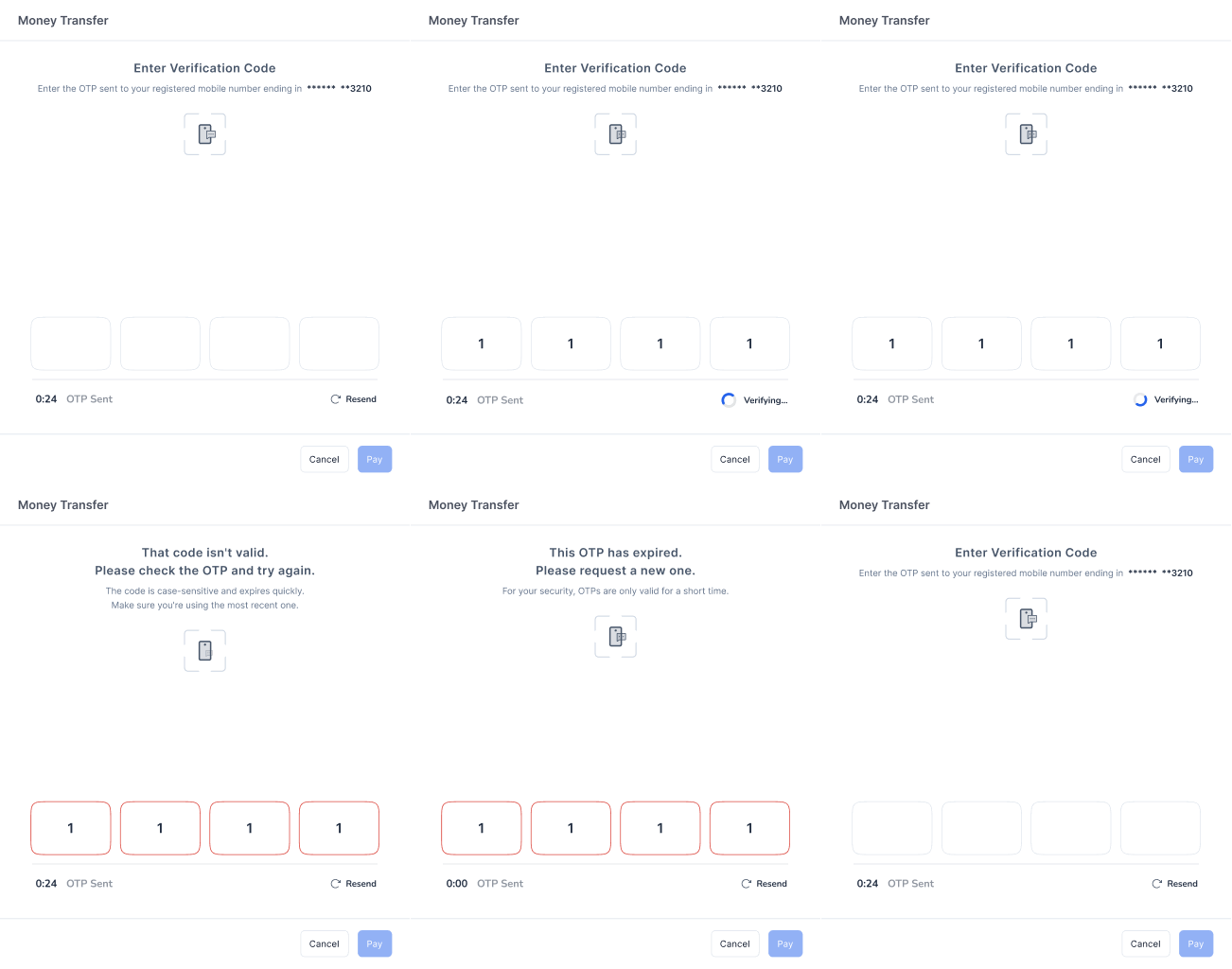
Secure in-app OTP + 4-digit PIN. Two-factor, fully in-system.
Old
Discovered after failure. Days of rework and manual reversal.
New
Blocked before initiation. Unverified vendors can’t proceed.
Old
Manual - team updates budget, category & monthly summary after each payment.
New
Automatic - bank + system sync. Dashboard updates instantly.
Old
High-level only. No category or monthly breakdown for managers.
New
Category + month mapping built into flow. Department heads own their spend view.
Solution
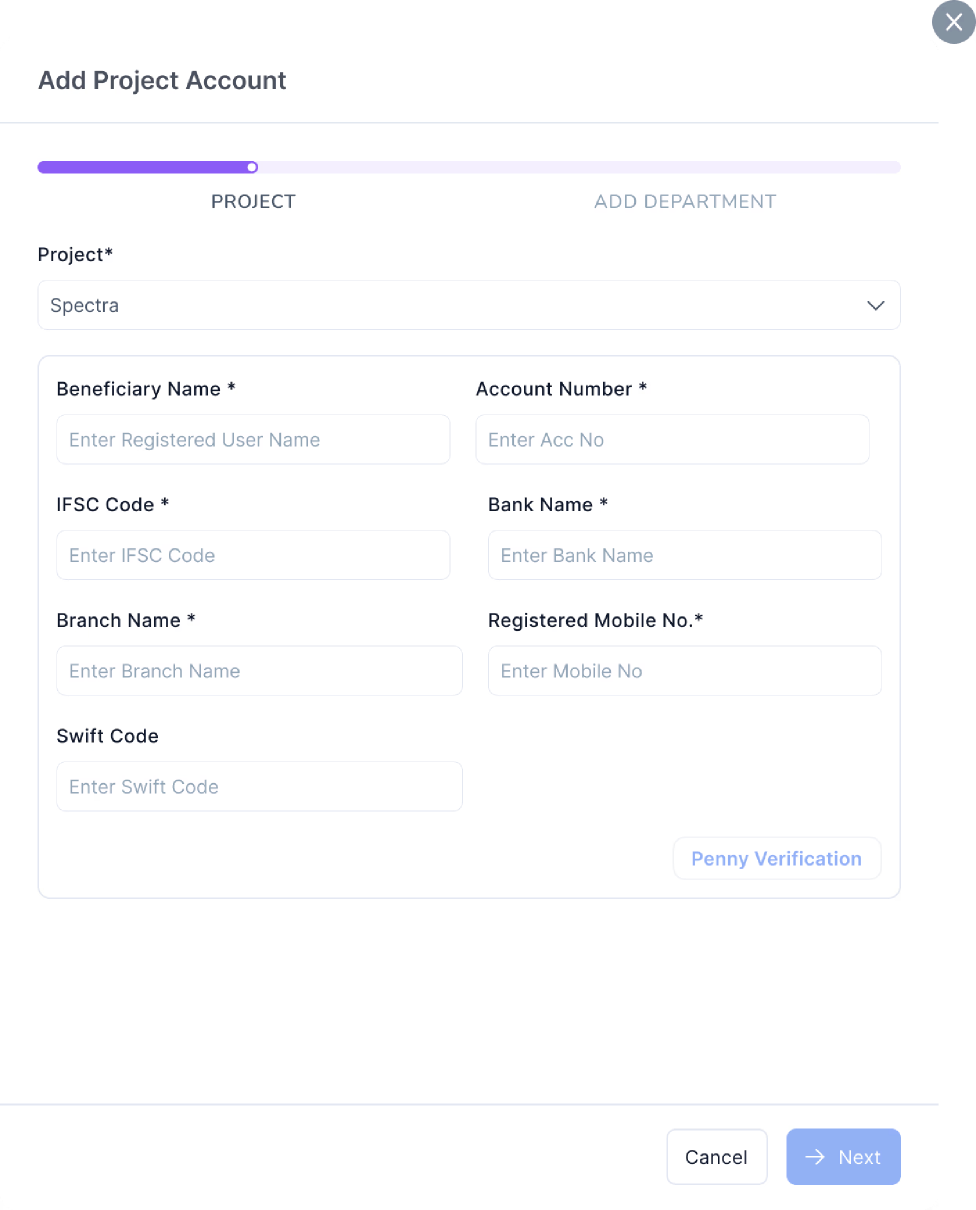
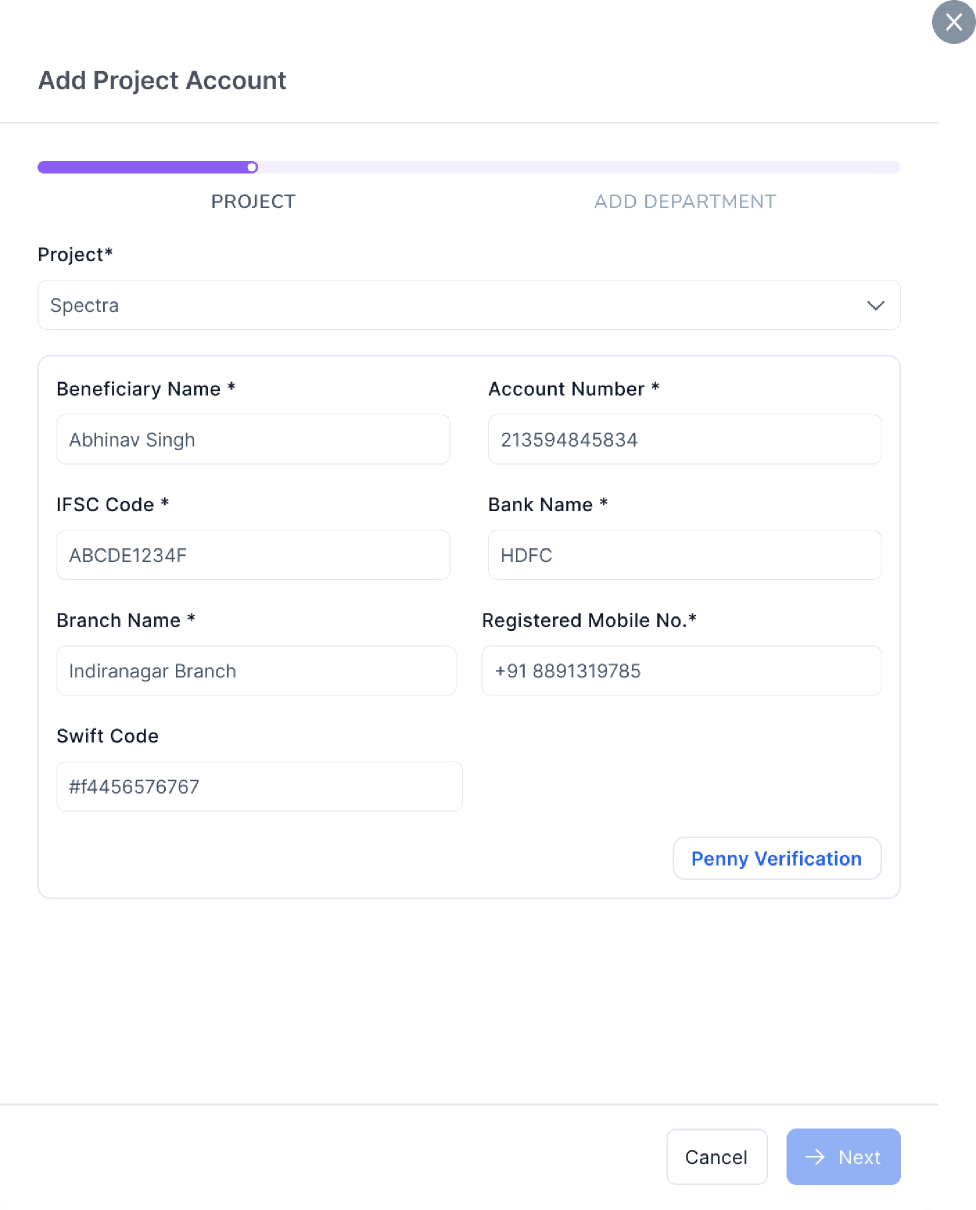
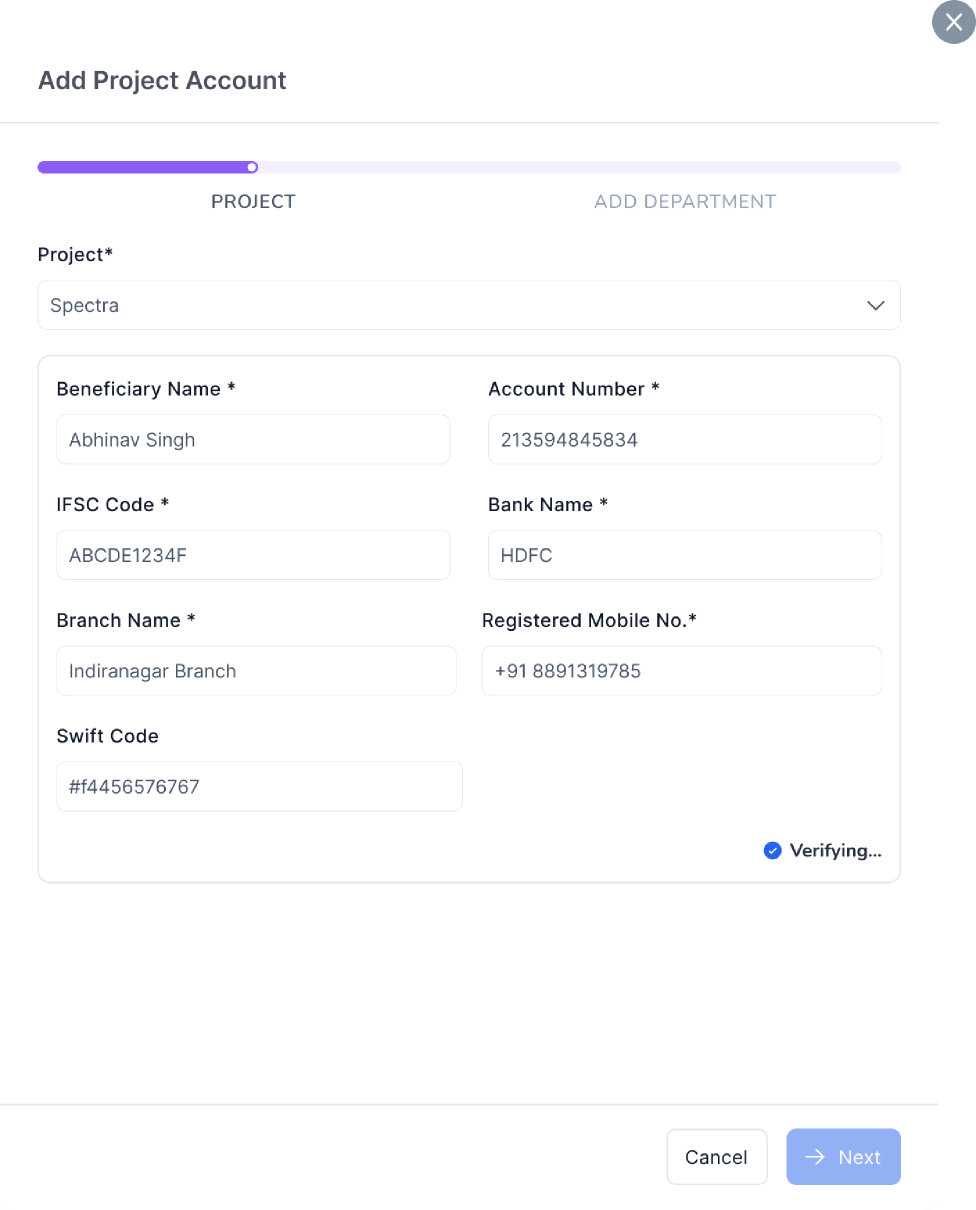
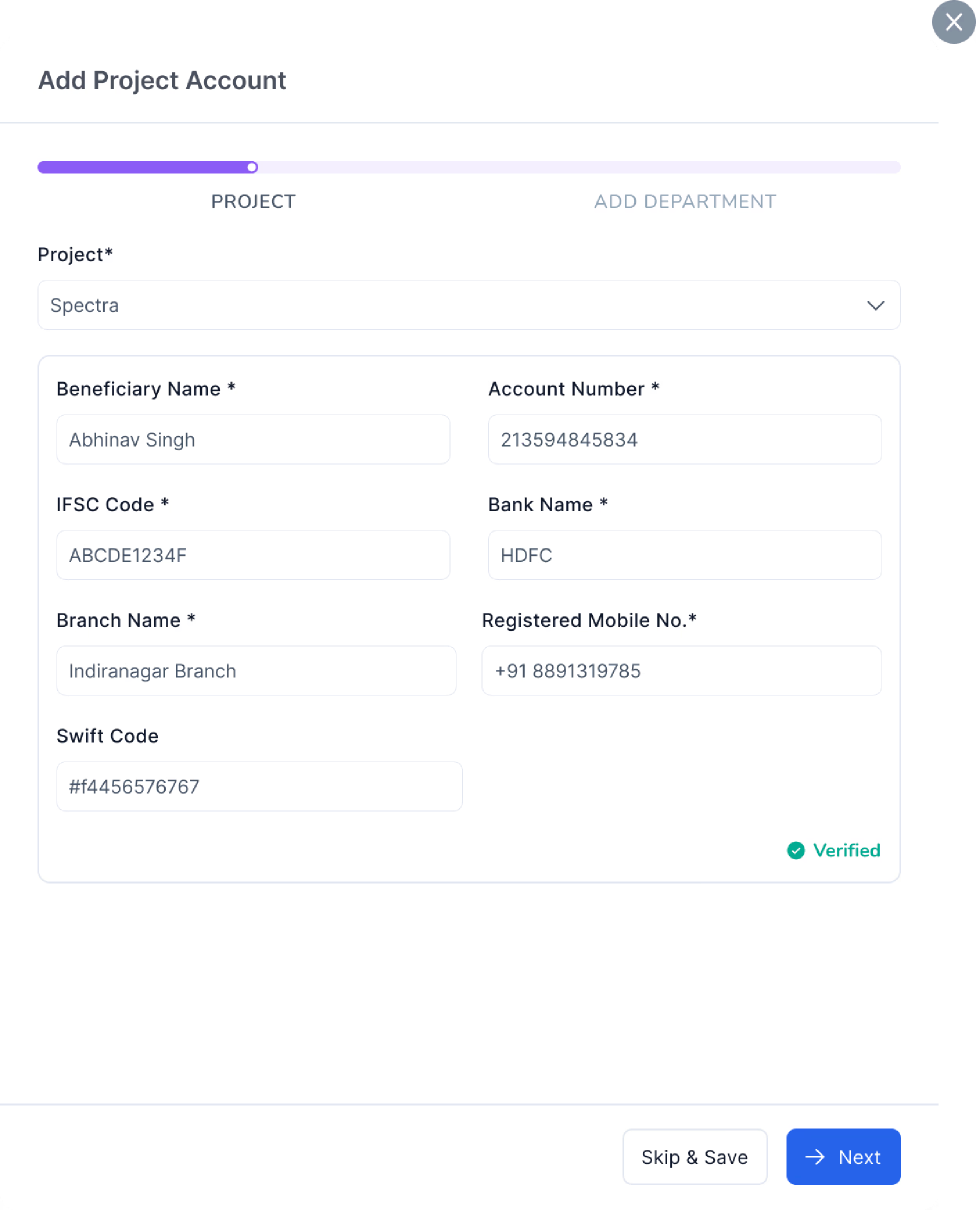
Every project and department account goes through penny-drop verification before it can be added or edited. Incorrect or outdated bank details are blocked at the door.
No shortcuts — all accounts verified before payout flow access
Catches the biggest silent risk: wrong bank details entering the system
Integrated with DeepVue & HDFC Bank APIs
Account Verification - Project Level
Integrated Deepvue & HDFC Bank
Account Verification - Department Level
Integrated Deepvue & HDFC Bank
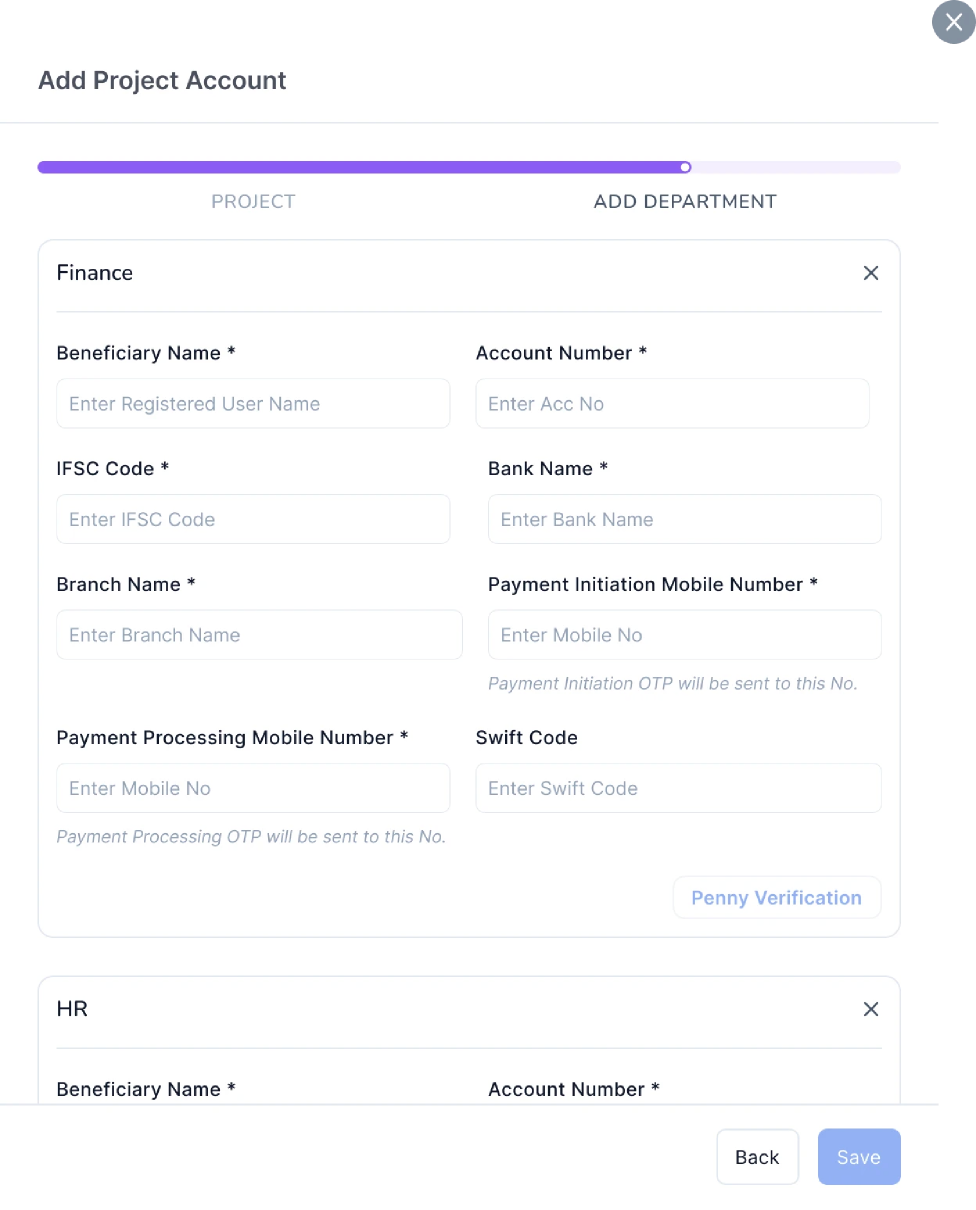
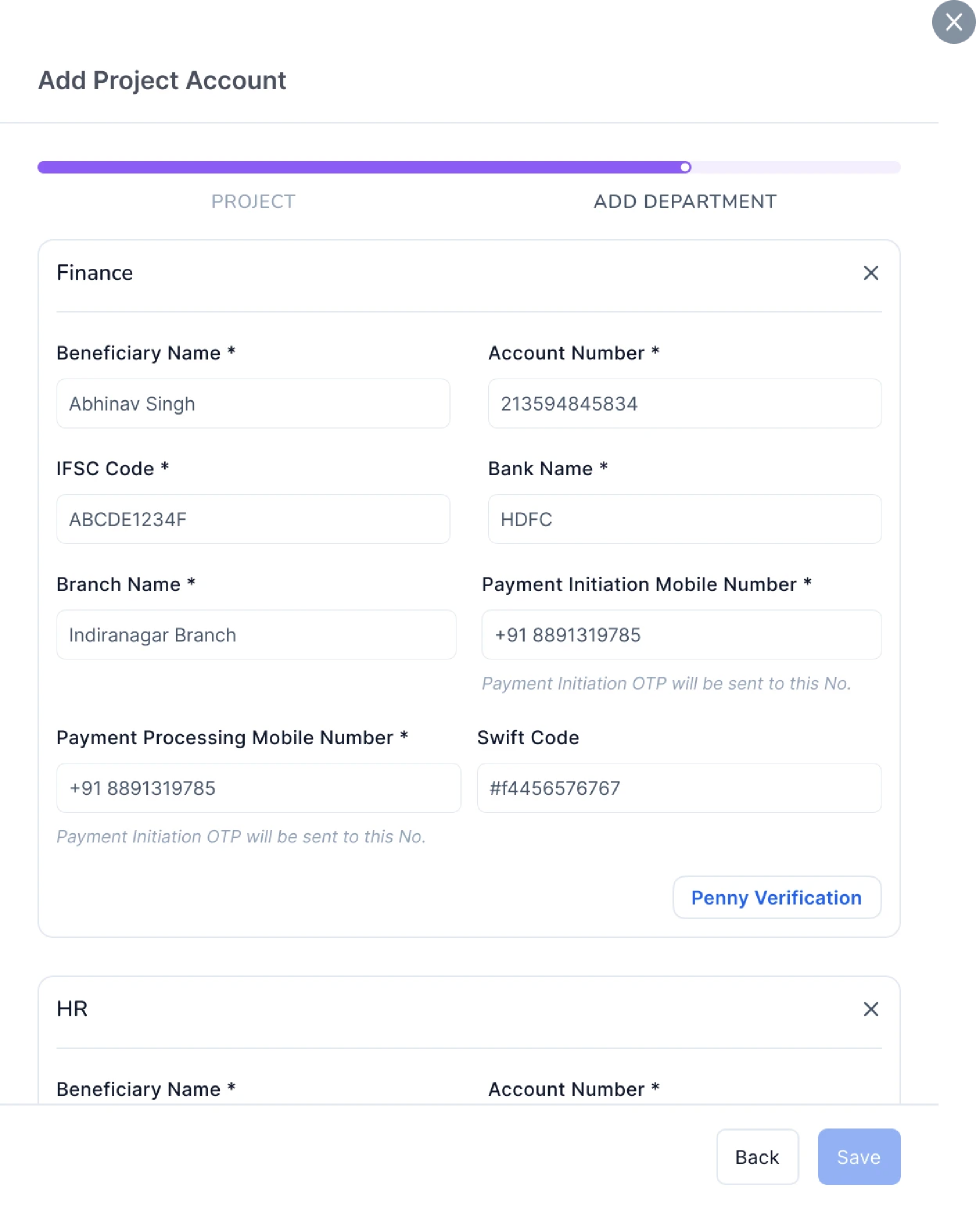
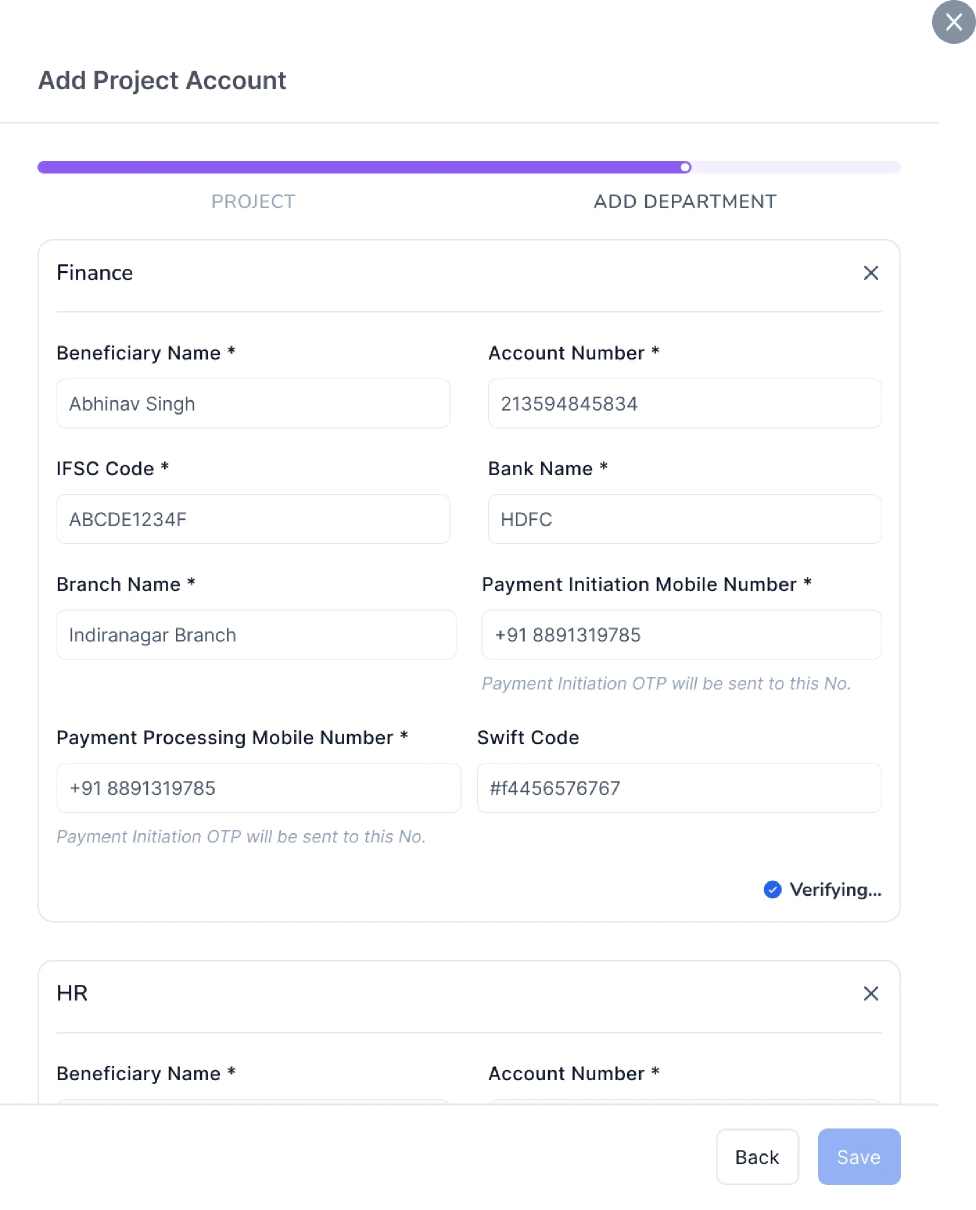
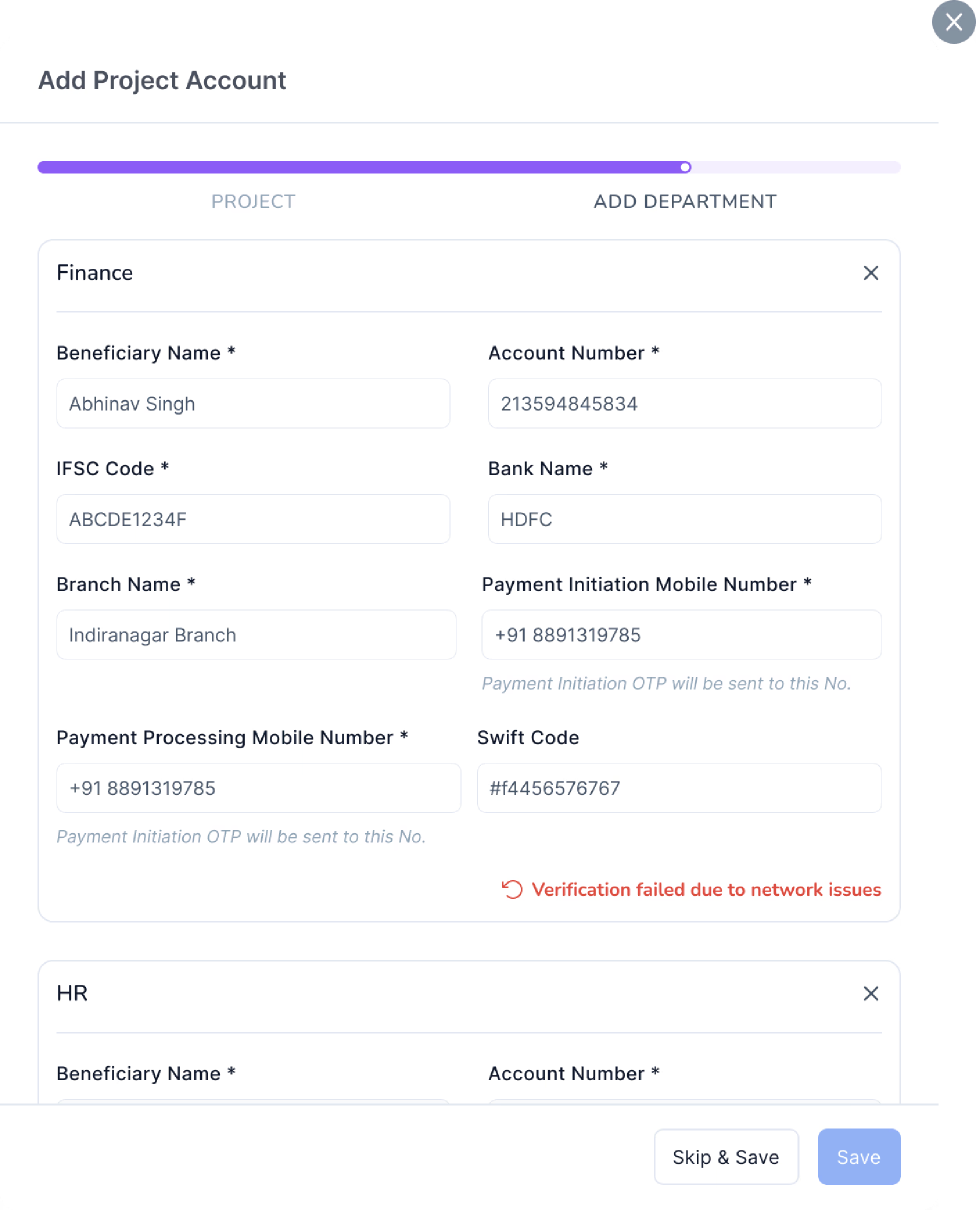
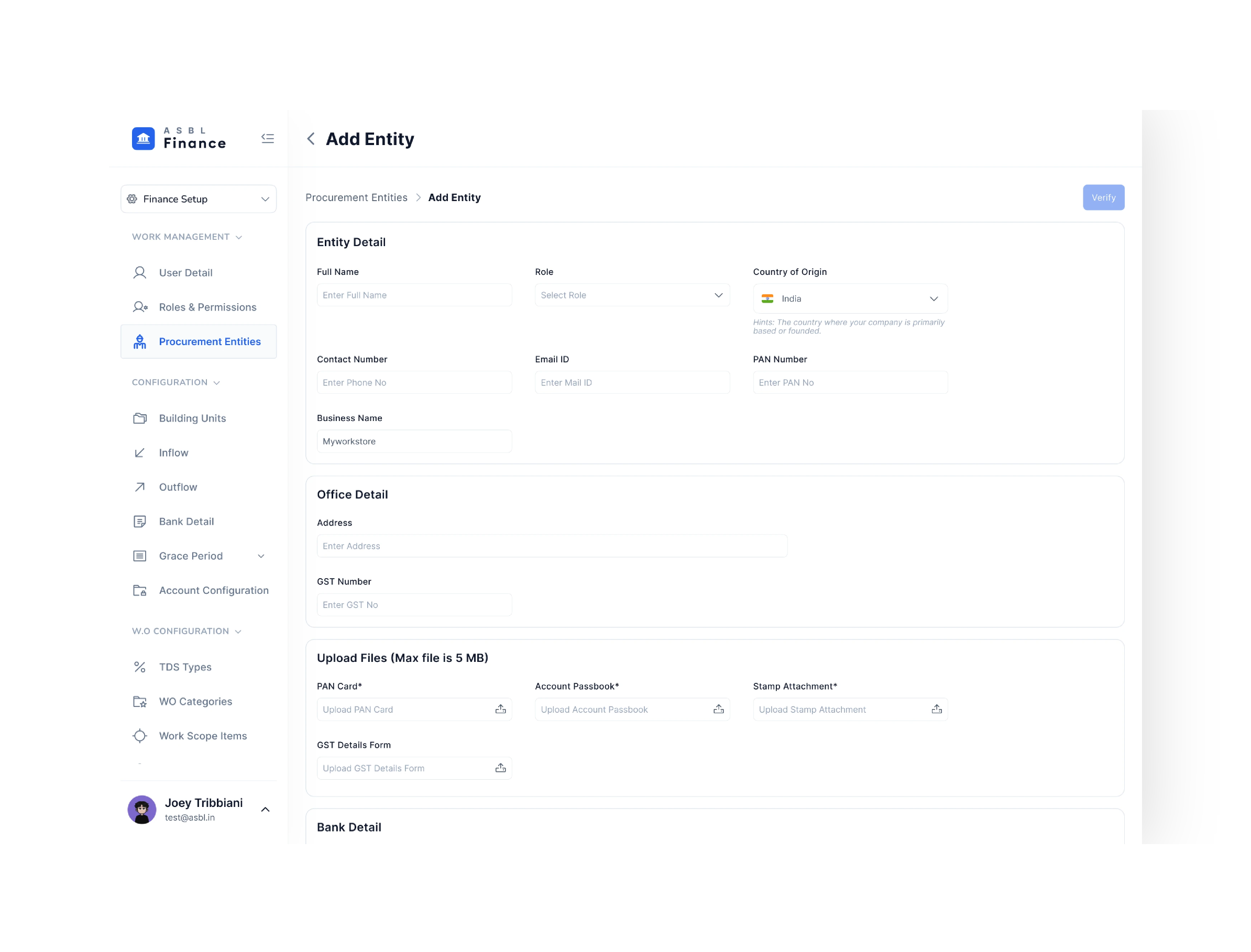
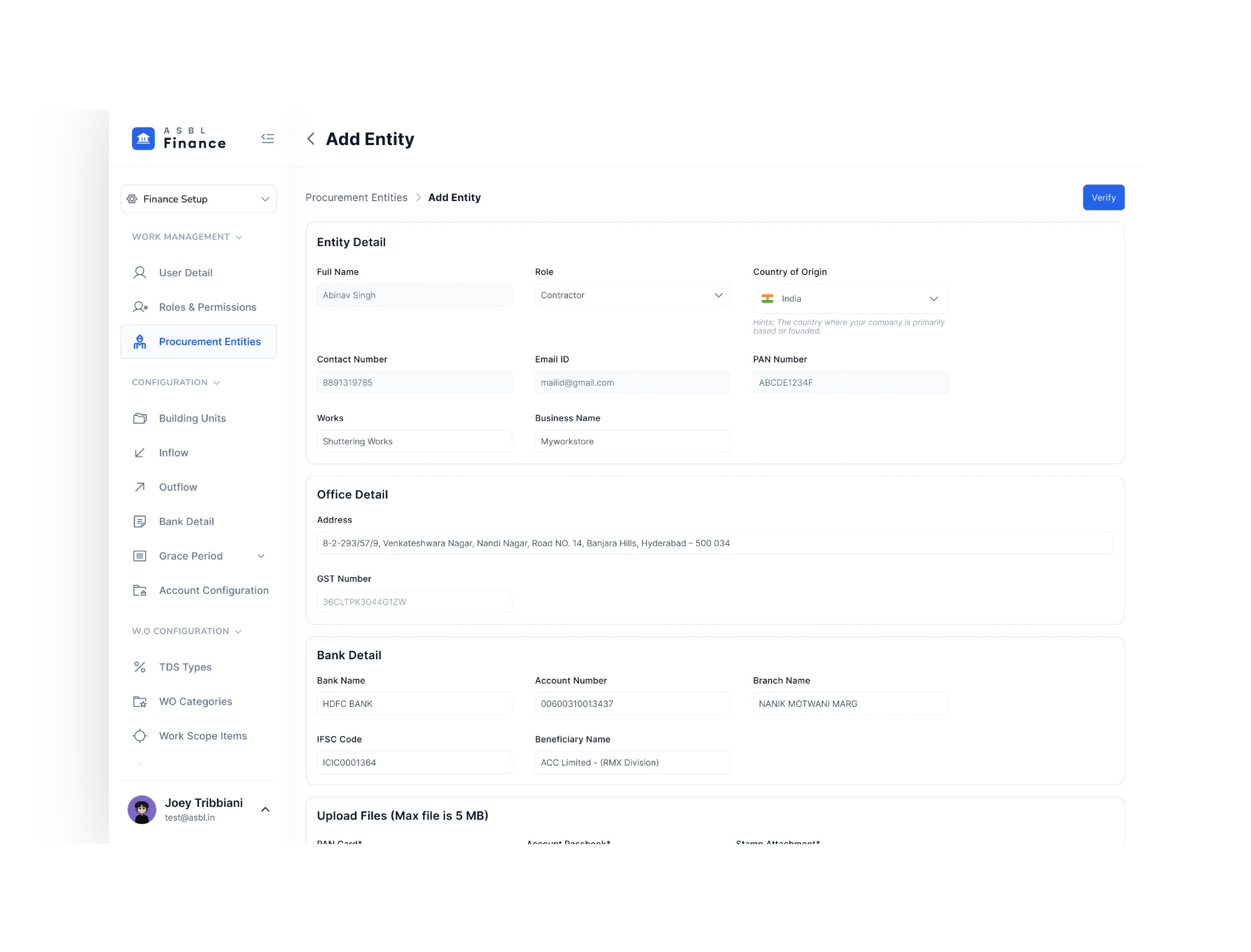
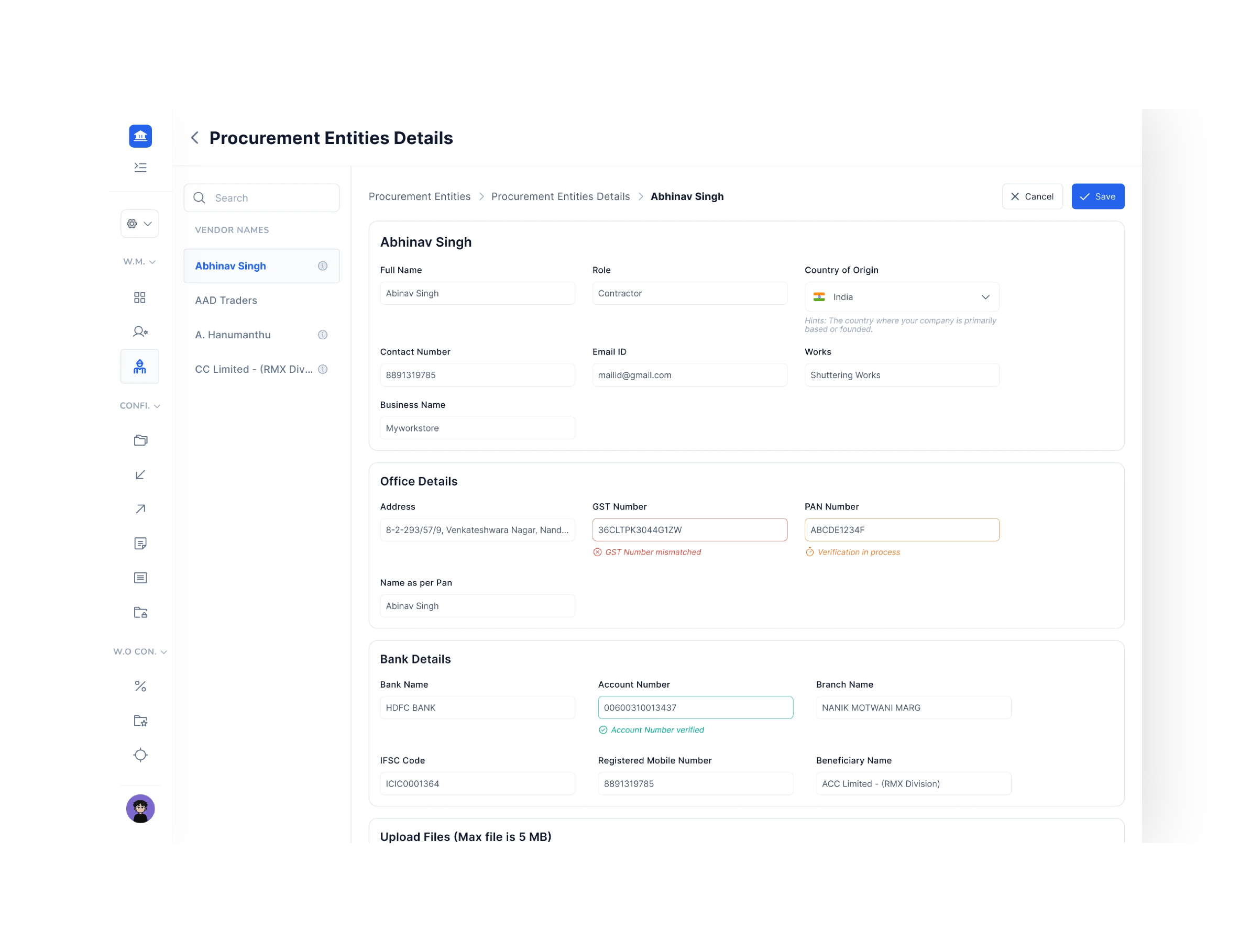
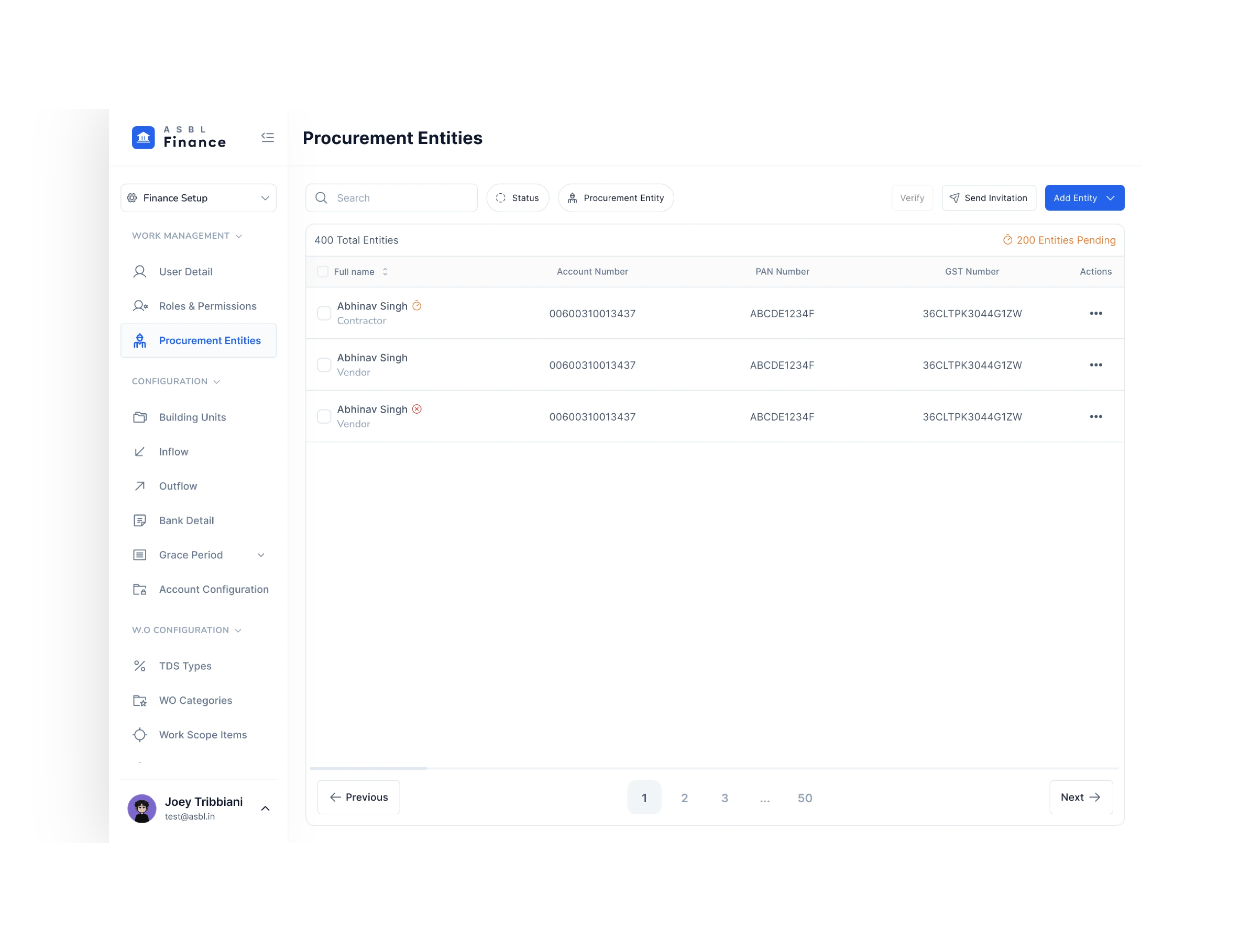
PAN, GST, and bank account checked against live data. Disbursals are blocked until all checks pass — no exceptions.
Vendors with mismatched names or incomplete details can’t slip through
Removes the “Did we pay the right person?” anxiety from finance teams
Error state shown clearly – finance knows exactly what’s missing
Account Verification - Department Level
Integrated Deepvue & HDFC Bank
Approvers get everything in one place, real-time balance, budget impact, category mapping, vendor status. No calls, no back-and-forth.
Structured path: notification → review → approve or reject
Decision made in seconds with full confidence
Audit trail auto-generated for every approval
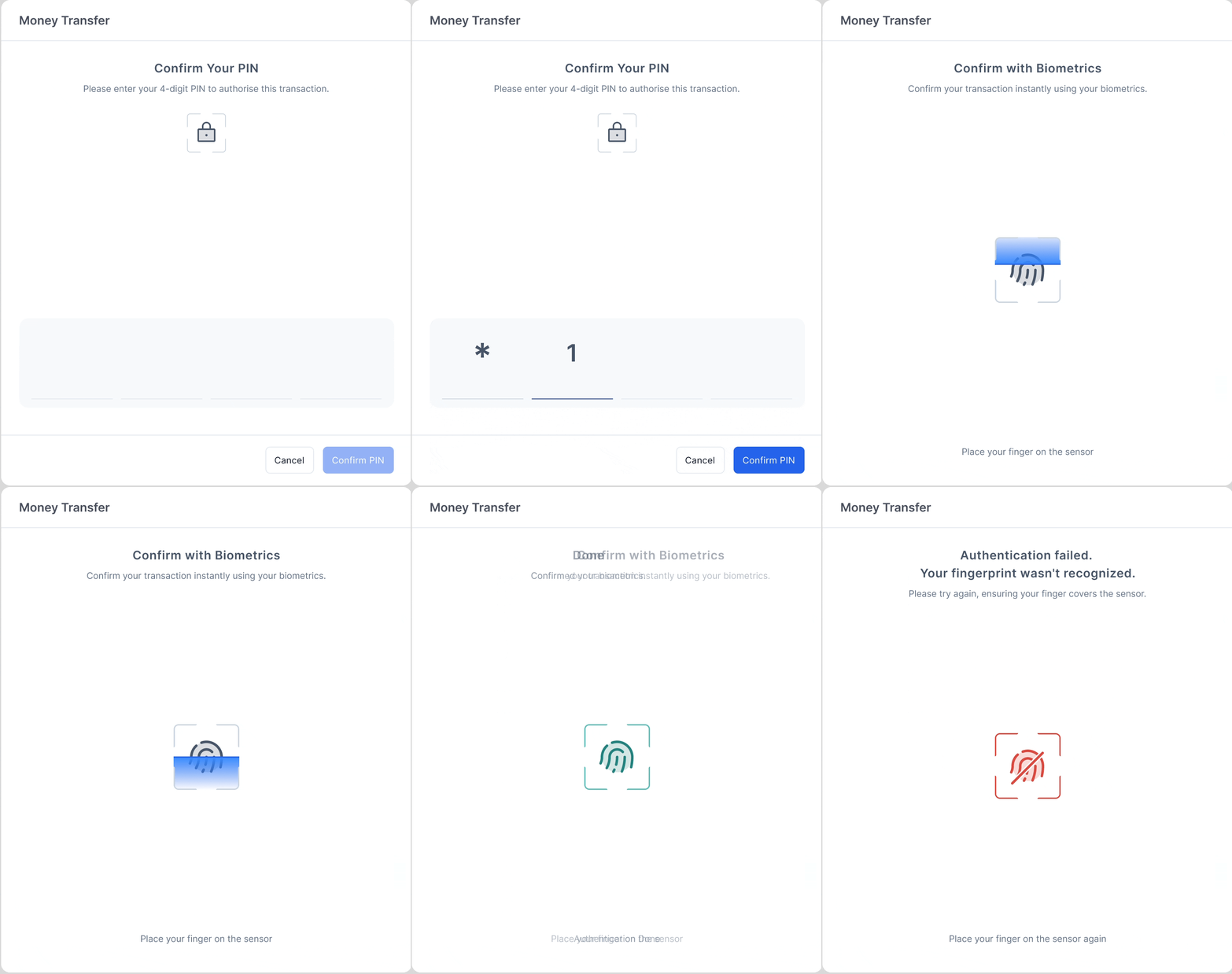
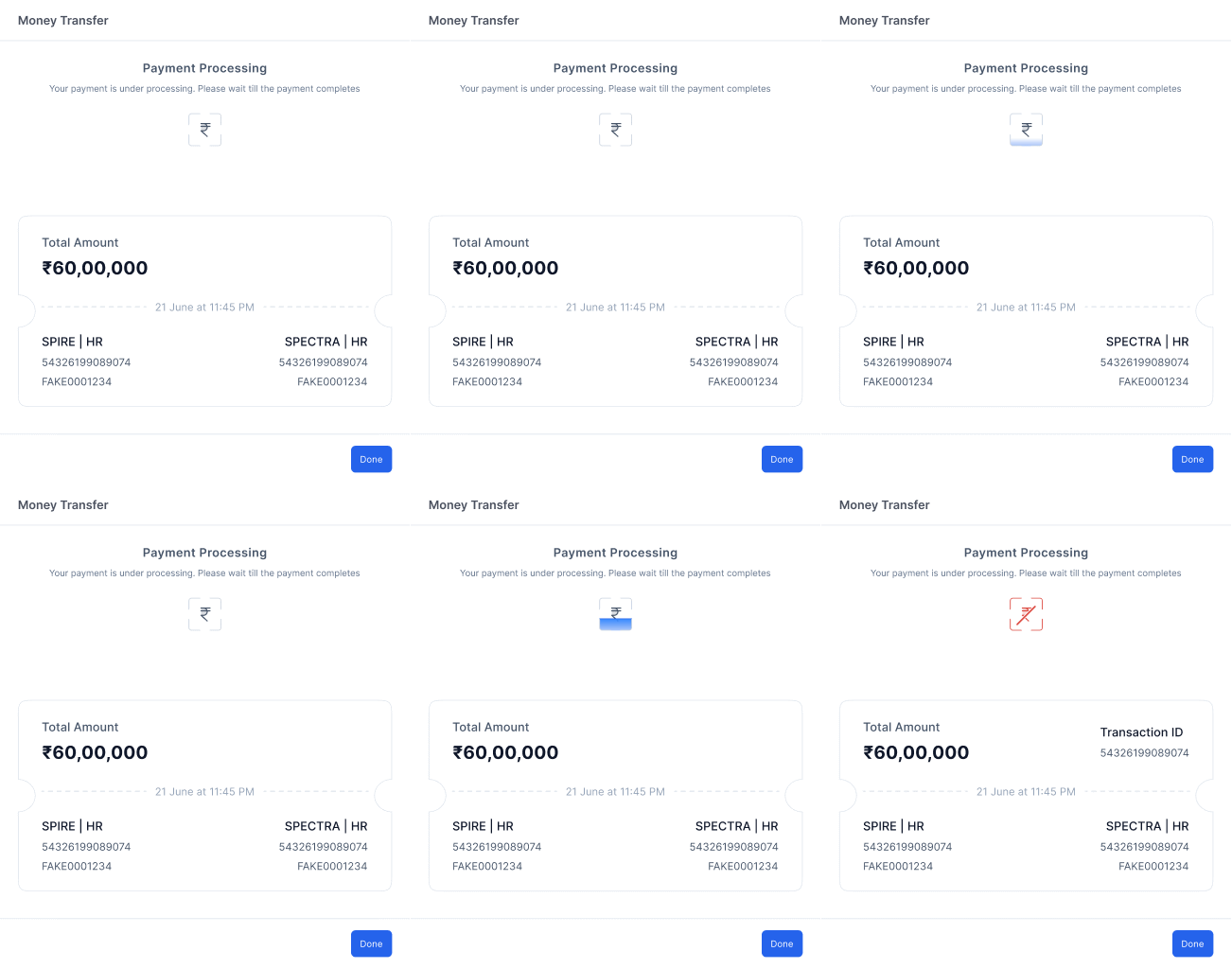
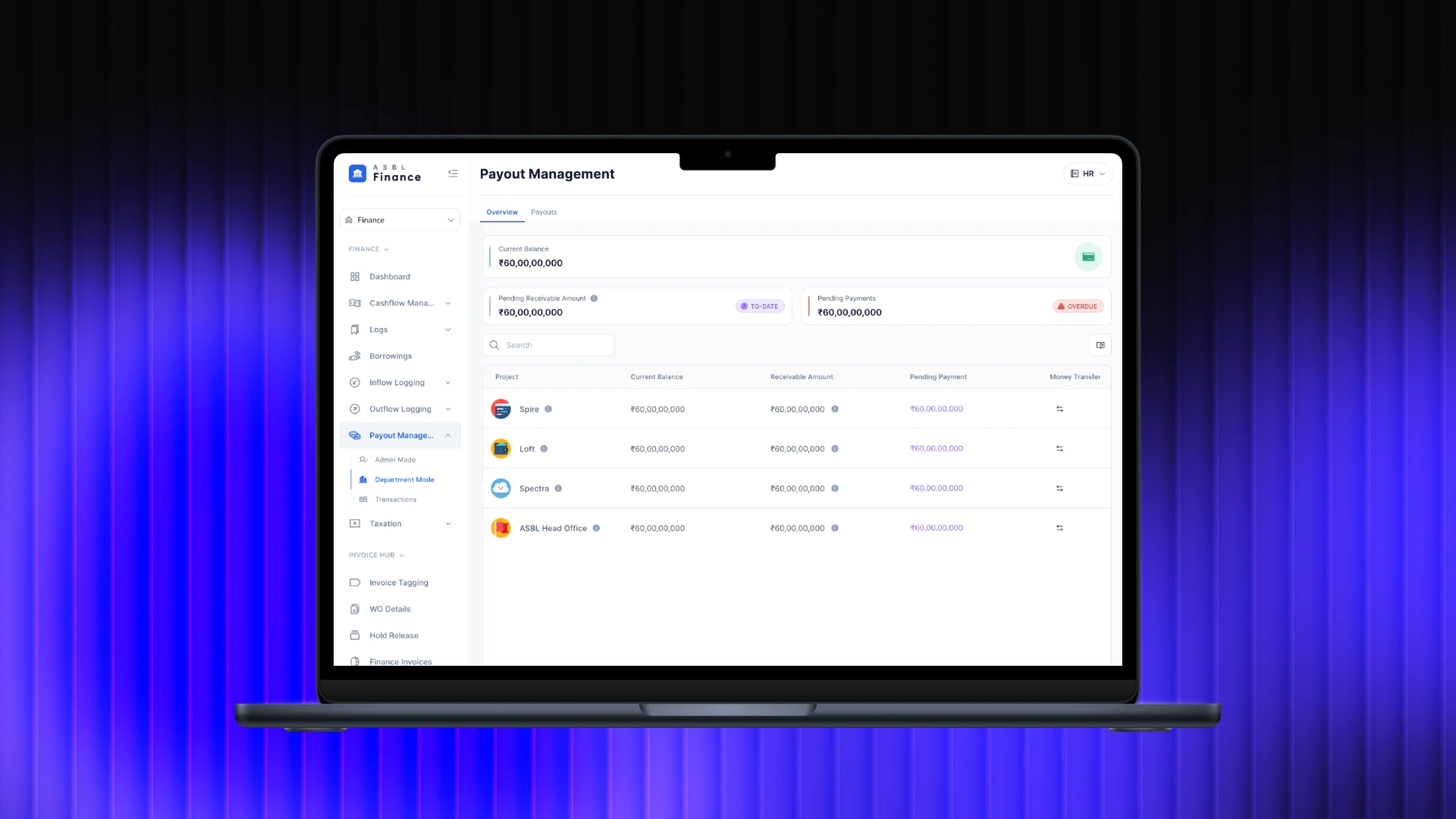
Multiple invoices can be batched into a single initiation. Available balance, pending payments, and overdue flags shown in real time.
Fewer steps, fewer errors — one flow for multiple payouts
Category mapping auto-links each rupee to the right budget bucket
Overdue alerts surfaced before initiation, not after
Two-factor auth: 4-digit PIN then OTP to registered mobile. Full transaction record generated automatically, amount, timestamp, project, department.
No informal OTP sharing — everything stays in-app
Transaction receipt auto-created, no manual logging
Bank + system sync happens instantly post-payment
Impact & retrospective
Measured within 2 weeks of launch
8X
faster payout initiation for verified vendors
60%
drop in support tickets related to payment errors
~0
failed bank transfers after verification gating
What Worked
Starting with the real workflow not the spec, meant we caught the actual friction points before a single screen was designed.
What I’d Do Differently
Add telemetry from day one. We knew it worked, but we couldn’t see exactly where users slowed down post-launch.
What Comes Next
Continuous vendor monitoring, confirmation pattern testing for batch payments, and a full audit trail dashboard.
.png) LinkedIn
LinkedIn
.png) Email
Email
.png) Behance
Behance